
1st Year Subject Options
Deadline for subject options input is March 1st 2025
Core Subjects
These subjects don’t need to be selected, as these are mandatory subjects
Junior Cycle students study the following core subjects:
- English
- German/Spanish
- Irish
- Mathematics
- History
- Religious Education
- Science
- Wellbeing (including Physical Education, CSPE, Social Personal & Health Education and other areas of learning)
Computer Technology plays an integral role in both learning and assessment in a wide range of subjects.
Optional Subjects
Choice Subjects: In addition, each first-year student will choose to study any three of the following choice subjects listed below. In order to accommodate as many student preferences as possible in the First Year timetable, you are asked to list in order of preference on VSware the following subjects:
- Art
- Business Studies
- Geography
- Home Economics
- Metalwork
- Music
- Technical Graphics
- Woodwork (Materials Technology Wood)
Continental Language
Students choose a preference 1 or 2 for Spanish and German
Option Subjects Information Videos (Must Watch)
Our students and teachers have put together helpful videos so students can make better decisions when choosing option subjects.
Option Subjects Information Video
This video covers the continental language choice
Some advise from our students about making the transition from primary to second level schooling
VSware Help Guides
- Downloading and logging into the VSware app
- Inputting Option subjects into VSware
- All the parent guides for VSware
VSware, there is an app and a website
This process can be completed on either the app or the website
- If you are going to use the app, please follow the help guide above 1 and 2
- If you are using a browser steps below
Logging in on a computer or laptop to VSware to choose subject options
You will be using VSware throughout your child’s time in St. Colman’s, for timetable, reports, attendance tracking, etc.
The following steps take you through setting up your VSware account for the first time and onto subject option selection.

Step 2
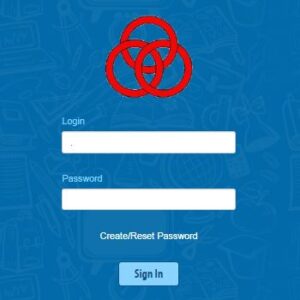
Click on the link above, Sign in button and choose Create/Reset Password
Step 3
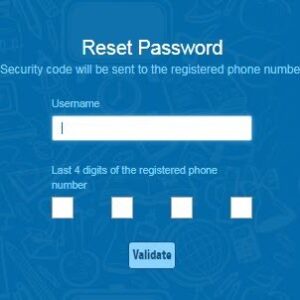
Type in the username you received in text from St. Colmans CC (note the dot in your username usually after the first letter, which is a capital) and then type the last four digits of your mobile
Step 4
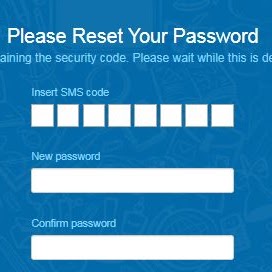
You will receive a text with a code. Type that in.
Step 5
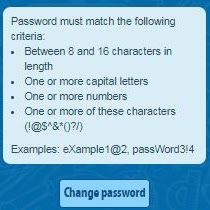
Then create your own password and type it twice into the boxes. Make sure your password follows all four rules
Click Change Password
Click to go to login
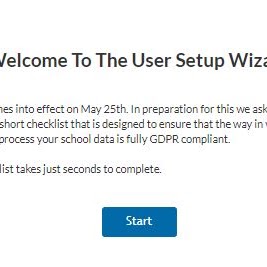
Step 6
Type in your username and password, and then the user setup will start.
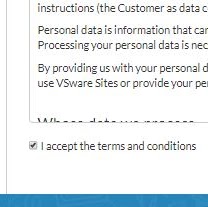
Step 7
Accept the terms and conditions
Step 8
Click Finish
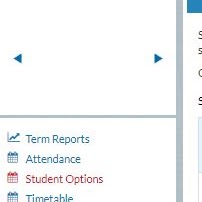
Step 9
Choose Subject options on the left side navigation
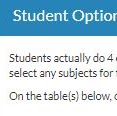
Step 10
Read instructions at the top of the page
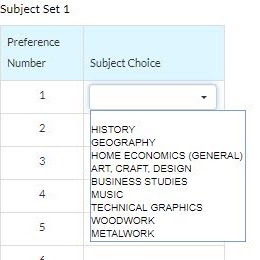
Step 11
Click in the Box beside the number and choose subjects in order of preference
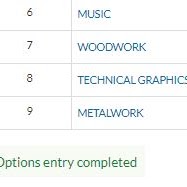
Step 12
When all subjects are chosen, the words Options entry Completed will appear. THERE IS NO SAVE BUTTON. It’s not needed.
Changing Subjects if a Change of Mind
Parents can log back in at any time during the subject options choosing period up to 1st March and change the subjects chosen, and this will overwrite the previous selection.
After this date, it is much more difficult to change subjects, as many subjects are full after this date, and subjects are arranged in blocks, so subject moves are quite limited at that stage.
Will my child get the subjects they choose
Please note that while we endeavour to provide students with their highest-ranked choices, this is not always possible.
If you need support on any aspect of subject options, email options@colmans.ie or call the office during office hours. For all other questions, email office@colmans.ie

App